

Feast Plugin + Theme Setup
Original price was: $199.00.$89.00Current price is: $89.00.
Description
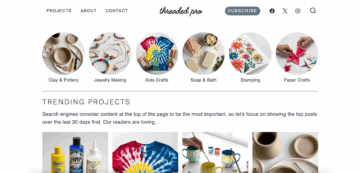
These themes are available installed for you:
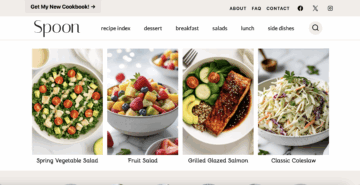

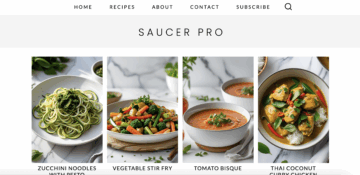
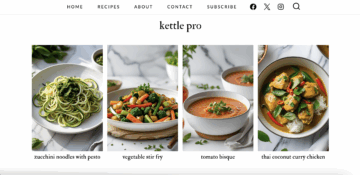
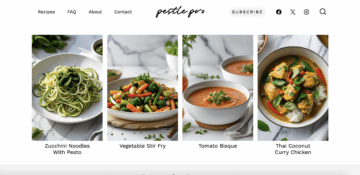
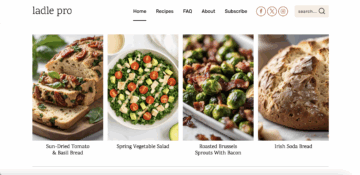
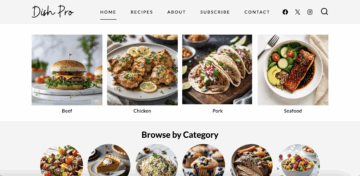
New theme coming in 2026

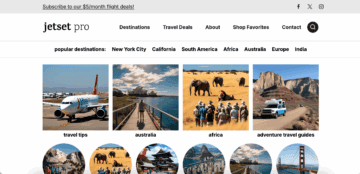
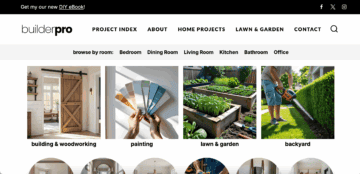
The Feast Plugin + Theme Setup converts your current site setup to our modern setup with the Feast Plugin and recommended settings.
Your category and posts will remain as is, but everything else will be updated to the entirely brand new, rewritten format through the Feast Plugin that keeps your site more up to date.
Feast Plugin Setup
The Feast Plugin takes your WordPress site to the next level, offering what should be a $5,000 theme for just $249/year.
The back end functionality has been fully rewritten for compatibility with the block editor, plus updates to:
- SEO
- pagespeed and core web vitals
- user experience
- accessibility
All of this can be done yourself by following the tutorials, but for bloggers with too much on their plate already, we now offer a full site conversion white glove package.
See below for what's included!
Includes
- Installing the theme and Feast Plugin
- Implementing the Modern Homepage
- Implementing the Modern Sidebar
- Implementing the Modern Footer
- Implementing the Modern Menu
- Implementing the Modern Thumbnails
- Regenerating thumbnails
- Yoast settings audit and configuration
- Proper implementation of breadcrumbs
- WP Rocket settings audit and configuration
- 30 days of Google Search Console monitoring
Does not include
- Anything not specifically included above
- the Feast Plugin (must be purchased separately)
- Feast+ or the Feast+ setup
- Setting up the Modern Recipe Index content (this must be done by you because it requires in-depth knowledge of your audience and site structure)
- Shortpixel or Imagify credits (required to regenerate thumbnails)
- The WP Rocket plugin must be purchased by you separately
- Logo, image or graphic design
- We can create a logo for you!
- Conversion from a non-Wordpress setup (eg. Squarespace, Wix)
- Removal of pagebuilder code (eg. Divi, Elementor, etc)
- this must be done beforehand per the migration guide
- Support for incompatible plugins
- Support for hosting related issues
- BigScoots will both migrate your site for free when signing up for their managed WordPress hosting
- Staging: If you're not on BigScoots, your host is responsible for creating the staging site for you. If you are on BigScoots, we'll create a fresh staging site via WPO access
- Analytics migration
- You should move your analytics into Google Site Kit if it was previously added through your theme
- If your analytics was added via the Code Snippets plugin, there are no concerns
- Customizations are not transferred from any previous themes
- Customizations are done after the full site conversion (see the migration guide)
- This includes changing fonts, colors, images and more
- Content updates (your content will remain exactly as written)
- Categorizing posts (this is done AFTER the migration)
- Recipe card updates or design
- Translation, Multi-lang or non-English sites
- Permalink changes
- Editing menus
- Creating redirects
Hosting
We strongly recommend using a staging site provided by your hosting company.
We will install the theme and plugin on a live site if those are the credentials provided, but are not responsible for downtime or loss of data.
Timeframe
After purchasing, you'll be sent a form to fill out.
You'll create the staging site (recommended), then we perform the conversion and testing on the day you set.
This means that on the day of the conversion, no work can be performed on the live site.
You decide when this happens by picking the date and time.
Additional reading
Review the migration guide to make sure your site is compatible and ready to be converted.
Important: after converting the site, reach out to your ad network and request they update their ad targeting with the new site structure and layout.
Logo
We can create a logo for you!
After purchasing, please check your confirmation email for a link to the questionnaire to get started.