

Kadence Tutorials

Kadence Tutorials
Kadence comes with a number of built-in customizer options. These give you the flexibility to customize your site, but may create problems for SEO, accessibility, pagespeed, ad income, and user experience.
Using the customizer creates a custom theme that we're unable to offer troubleshooting support for.
If changes that you make aren't being shown on your site, you need to clear your cache.
You can find Kadence and Feast tutorials below.
Jump to:
Feast Kadence Themes
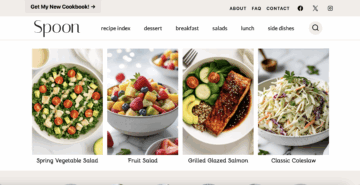
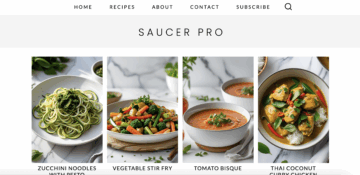
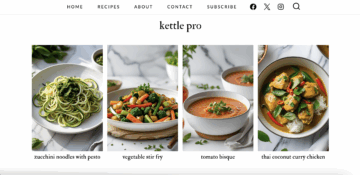
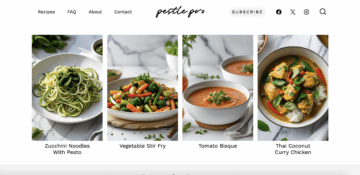
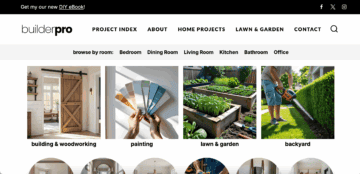
Find the demo sites below:

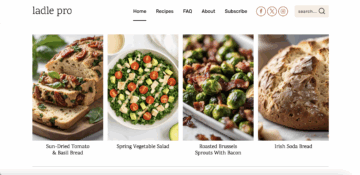
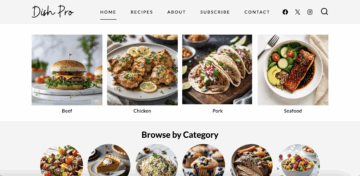
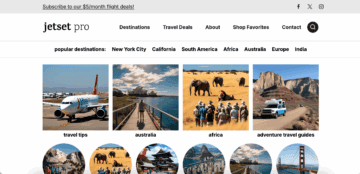
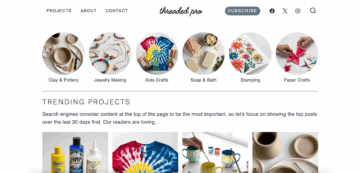

Important
Changing the layout, content and sidebar widths can negatively impact pagespeed, and ad revenue. We recommend avoiding these and are unable to offer support for issues that arise from changing them.
Safe customizations
- Font case (transform: uppercase, lowercase)
- Font/title align
- Bolding
- Borders
See below for tutorials for specific parts of the site.
General
- How to install Kadence
- The Kadence Theme Breadcrumb Settings
- How to Enable Scroll to ID (not recommended)
- How to Add an Author Box to Your Posts (uses Gravatar, not recommended)
- How to Enable the Kadence Lightbox Feature for Image Links (not recommended)
- Kadence WooCommerce Customizer Settings (not recommended)
- How to use the Kadence Theme Color Palette
- Make sure to check accessibility via wave.webaim.org
- How to reset the Kadence Color Palette
- How to style hyperlink colors
- Make sure to check accessibility via wave.webaim.org
- Typography Settings
- How to set the heading fonts and body fonts
- We recommend minimizing custom font usage for pagespeed purposes, choosing only 1 heading font and 1 body font
- Make sure to Flush Local Fonts Cache if fonts aren't changing
- How to style Buttons
- Make sure to check accessibility via wave.webaim.org
- How to adjust content spacing site-wide
- Don't use excerpts
FSRI + FSCI
Our Kadence themes use the FSRI and FSCI blocks to display content on the homepage, recipe index, sidebar, and Modern Previous + Next
Categories
Our Kadence themes use the built-in Kadence category (archives) layout with customizer settings.
Posts
Our Kadence themes use the built-in Kadence post layout with customizer settings.
- Single Post Layout Customizer Settings includes:
- Post title
- Breadcrumbs
- Post info / post meta
- Featured image (we do not recommend displaying)
- Related posts (not recommended, use the Modern Prev + Next instead)
- Instructions to override these site-wide settings is at the bottom of the tutorial
Pages
Our Kadence themes use the built-in Kadence page layout with customizer settings.
- Page Layout Customizer Settings
- Post title
- Breadcrumbs
- Post info / post meta
- Featured image (we do not recommend displaying)
- Instructions to override these site-wide settings is at the bottom of the tutorial
Search
Our Kadence themes use the built-in Kadence search layout with customizer settings.
404 Page
Our Kadence themes use the built-in Kadence search layout with customizer settings.
- You can access this in Customizer > General > 404 Page Layout
Header
Our Kadence themes use the built-in Kadence header.
- Preventing the Theme Transparent Header from Overlapping Page Content
- Kadence Classic Header Items
- Edit Menu
- How to Customize the Kadence Header
- Customizing the Mobile Navigation Area
- How to Use a Transparent Header (not recommended)
- Customizing the Topbar
- Customizing the Classic Header Navigation Colors (Default Header, Transparent Header, Sticky Header)
- Make sure to check accessibility via wave.webaim.org
- Edit Dropdown Menu Styling
- Working with the Sticky Header
- Social Media Icons in the Header
- Editing a Row in the Header
Sidebar
Our Kadence themes use the Feast Layouts setup for the sidebar, not the built-in Kadence sidebar.
Footer
Our Kadence themes use the built-in Kadence footer.
Child themes
We opted to build on the base Kadence theme, and not create a child theme, in order to avoid problems we've encountered using child themes in the past.
Creating a custom child theme will cause many of our built-in fixes for our setup to not work, and is not supported.