

Google Trusted Source
The Google Trusted Source button allows users to tell Google to customize their search results to show your site higher for search terms you already rank for.
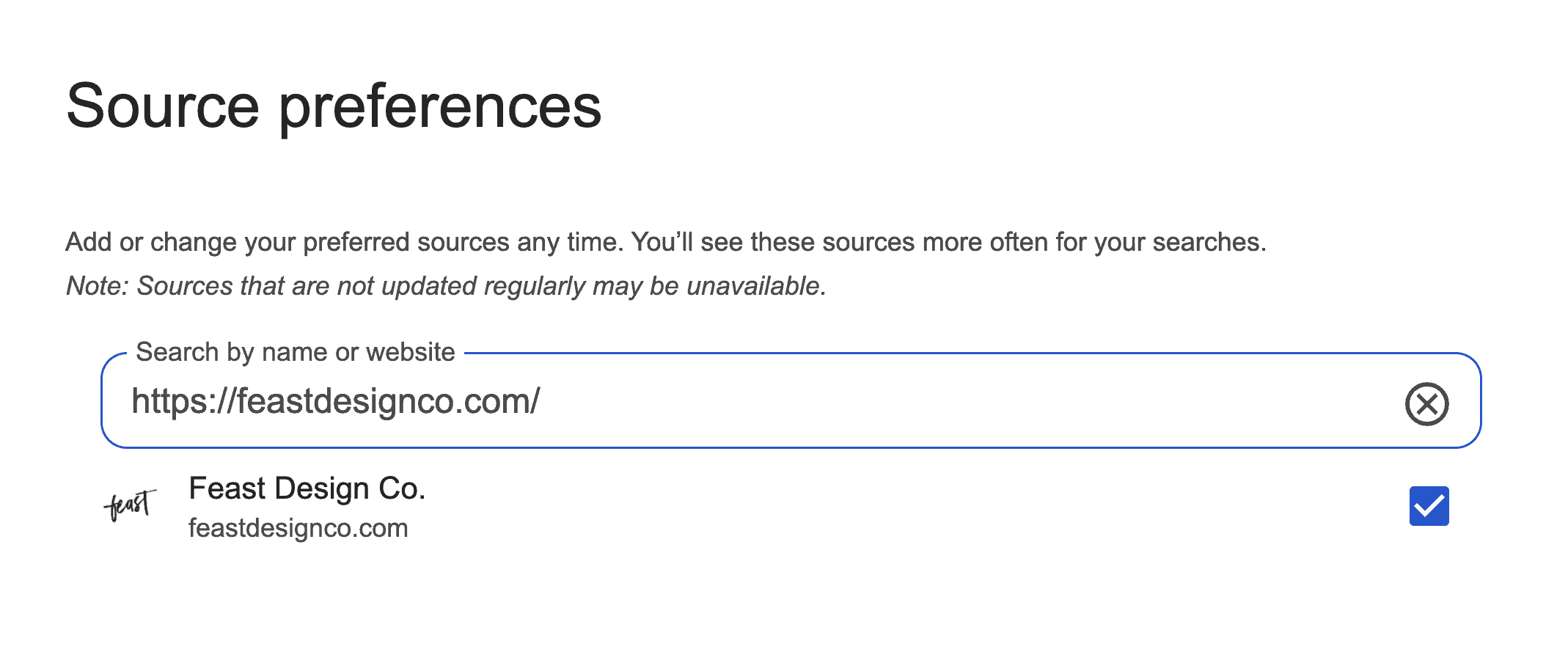
This only re-arranges that specific users search results for queries that your site may show up for already.
Button
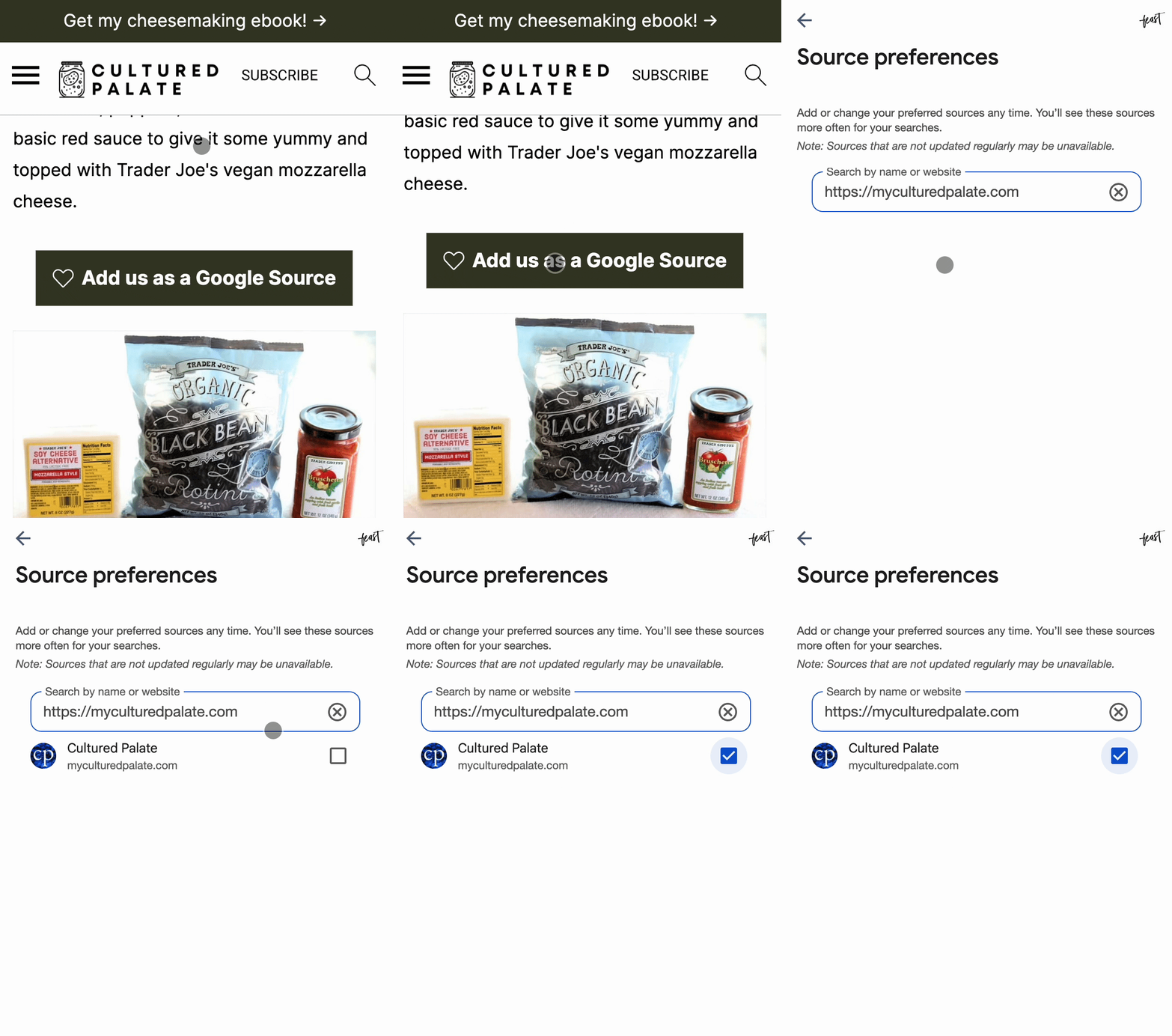
This button takes the user directly to Google's "Source Preferences" user page, and includes your site URL, when the user clicks it.
The only action they need to take is to check the box, to add your domain to their list of preferred sites.
To add it, just click the [+] button in the block editor and search for "trusted":
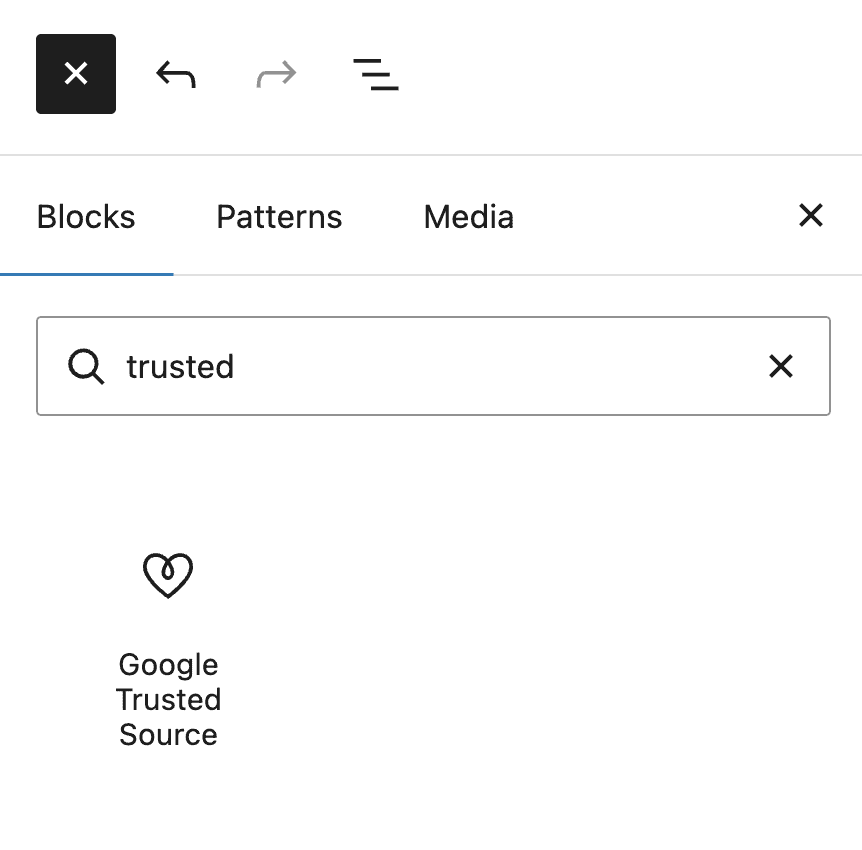
There are several settings you can use to customize the text and display of the button:
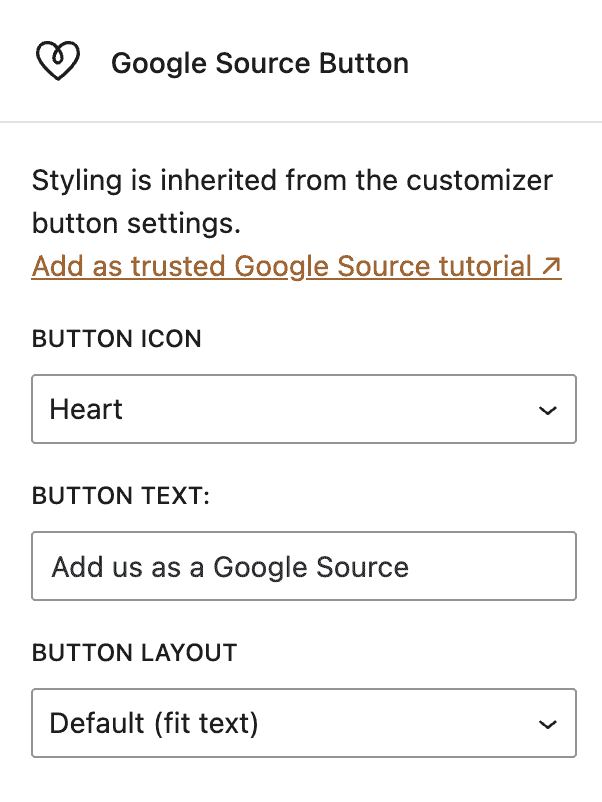
The colors and fonts are inherited from your theme and customizer settings, to match the rest of your sites branding.
SEO
This is not SEO.
It's a user-specific setting that allows Google to feature the site when the user searches for something that specific site offers. This can include:
- Top Stories results
- “From your sources” sections
- Featured snippets
- AI-powered summaries
- Discover recommendations
Example
Add to all posts with Feast Hooks
To add the Trusted Source button above the content on all posts:
- Enable the Feast Hooks if you haven't already done so
- Visit Admin > Feast Plugin > Feast Hooks
- Click Add New Feast Hook
- Give it a descriptive title (will not be visible to users)
- Insert the Google Source Button block
- Set the Hook Location to After Entry
- Set the Hook Priority to 20
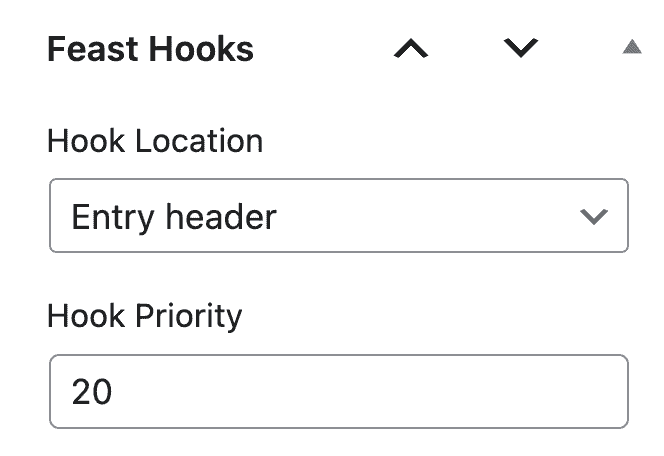
For Feast+, you'll want to use the Alternate Header Right Top or Alternate Header Right Bottom hook location.
You can also exclude it from being shown in specific categories using the Exclude Categories field.
The button automatically inherits the theme (or customizer-set) styling if you're on Foodie Pro 5 or Kadence. If you're on an older theme, please update to one of our Kadence themes or have us install it for you.
FAQ
The best place for this is anywhere you think your users will see and use it. There aren't any currently known "best practices" for this.
This does not affect your on-page SEO in any way - it's purely for your users.
It does affect where your site appears in each users specific search queries, who have used the button to add you as a trusted source.
It does not affect your SEO for anybody else.