

Add Google Analytics Tracking Code
We recommend use the Google Site Kit plugin to set up and manage your Google Analytics tracking.
Important: after adding a new method for tracking, always clear your cache.
Jump to:
Site Kit Plugin
We recommend using Google's Site Kit Plugin to add Google Analytics & GA4 tracking.
See this Nerdpress tutorial for the site kit plugin.
During the Site Kit setup, make sure to use the analytics profile that your ad company uses to measure pageviews.
Pagespeed optimization
The Google Site Kit automatically optimizes your Google Analytics tracking.
If using a different analytics implementation, you'll need to reach out to that plugin for pagespeed optimization.
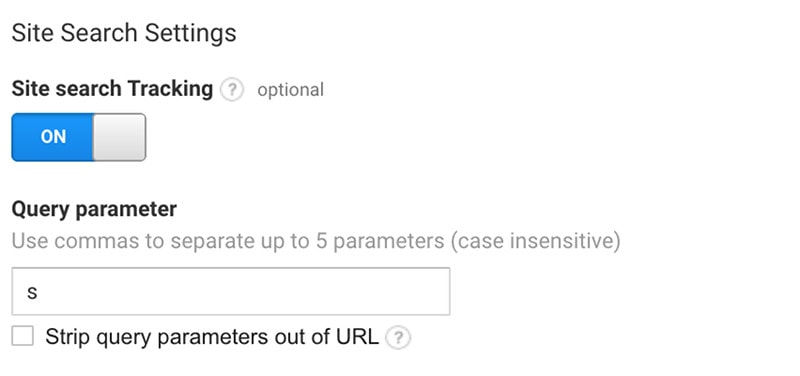
Enable Site Search Tracking
You'll want to enable site search tracking to see what your visitors are looking for once they land on your site:
Optimizing with Google Analytics
This post on optimizing your site with Google Analytics from Tom Crowe Digital has some good tips.
GDPR violation
According to a recent ruling from the French data protection authority (CNIL), Google Analytics violates GDPR regulations and should not be served to European citizens.
At this time we're unaware of any solution which automatically excludes European users.
Troubleshooting
If you need further troubleshooting, we recommend hiring Alison at Digital-ade.