

Custom list styling
Version 5.0.0 of the Feast Plugin introduced the ability to add custom bullet styling to your lists.
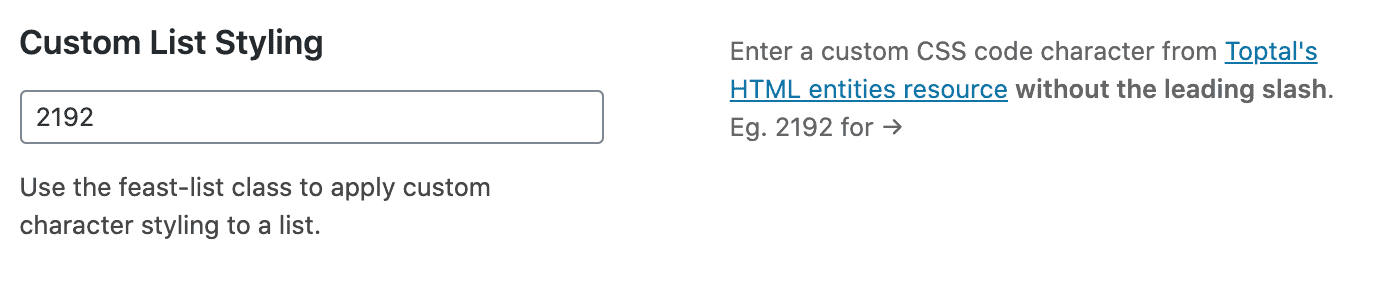
We recommend using this in a section to draw special attention or add some branding reinforcement, and just not for every list.
How to use it
Simply click the list block in your block editor, and add the feast-list class to the "Additional CSS classes" in the sidebar.
Video
Accessibility
Some characters may be too small or obscure, which may make them not understandable. We recommend being conservative when it comes to select a character and not going too crazy.
The character should not be used to convey meaning. Screen readers and non-sighted users will not process this, for example:
Pay careful attention
- combine with medication
- play with sharp knives
- put water on grease fires
They can't see that this is a skull and is a warning, and may understand this as "do combine with medication", etc.
Favorites
Here's some of our favorites:
- ✔ = /2714
- ✓ = /2713
- ✗ = /2717
- ➜ = /279C
- ➪ = /27AA
- ➲ = /27B2
- ⇥ = /21E5
- ⤳ = /2933
- ☞ = /261E
- » = /00BB
- ✶ = /2736
- ❖ = /2756
- ☑ = /2611
- ☃ = /2603
Remember not to use the icon to indicate a message. You must explicitly describe what the list is about in text, before the list.