

Feast+ White Glove Design Configuration [FOOD]

let's get started!

Fill Out Your Design Preferences

Thanks for your purchase of the Full-Service Design Configuration! Please complete the form below so our support team can get to work.

Please keep in mind that this service does not include revisions, so it's very helpful to let us know up front exactly what you want.

That said, once it's set up, you will have full control to make font, color, and style touches in the Feast+ Branding Dashboard! 🎉
How to Fill Out This Form:

Video explaining to complete this in order & not stress since they can change these later).

Please use the same email as your Feast account.
You can find the subscription # on your subscriptions page ↗️

WordPress Access

Please fill out this form to set us up with admin access (if you wish for us to set things up on a staging site, please create that first and submit that information). You are submitting this information securely over HTTPS. Please create a brand new account for us to perform this work, which you should delete after it's finished, for security reasons. Never send anyone your main account password. Here's a tutorial from Yoast on how to create a new admin user: Add a new admin user. How to add a new admin user, from Yoast ↗
We require an up-to-date version of WordPress to perform this work. It must match the version we have on the compatibility page ↗ (currently 6.8.1). Make sure you have Feast Plugin 13.3.0+ if you're on WordPress 6.8.1
What is the login URL of the admin? This is your WordPress admin URL, not your hosting account URL.
Create a new admin account using the email hello@feastdesignco.com. The account must have full administrative privileges.
What is the password associated with this admin account? We will copy+paste this, so please make sure it is accurate.
For security reasons, you must delete this account once the work has been completed.
We will be working on your site live, and due to your configurations, may run into unexpected errors. You must have a working backup of your site that you can restore through your host if anything happens.
Set it up following this tutorial

Color Palette

Design Kit

We have 12 design kits to choose from! If you selected to use your own color palette above, we will apply your palette to your chosen kit. Keep in mind that you will be able to make changes to this kit after install, so think of it as a starter kit that you can customize more to your brand later!

Fonts

Homepage

Categories / CTA (copy)

(i.e. breakfast, appetizers, dinners, desserts, side dishes, drinks)
(i.e. cookbook, eBook, shop, etc)

Posts

Please list the exact URL.
We will go into 1 posts of your choosing and add the Feast+ group tip blocks and list blocks. This will show you real-world application on how the new features can be used, using your actual content. Please note that you need to be careful of update your highest performing posts, so we do not recommend having us touch a top post. We assume no liability for the post you choose.
i.e. out of office, vacation, etc. While we will not need you to be present for install, we do want to schedule it on a date you will be available to answer any questions that may come up during the install.

Services Provided

Please confirm your understanding of the service's scope as outlined in the following deliverables:
Includes:
  • Discovery questionnaire (on this page) to hone in on your style preferences & guide your Feast+ setting configurations based on desired brand
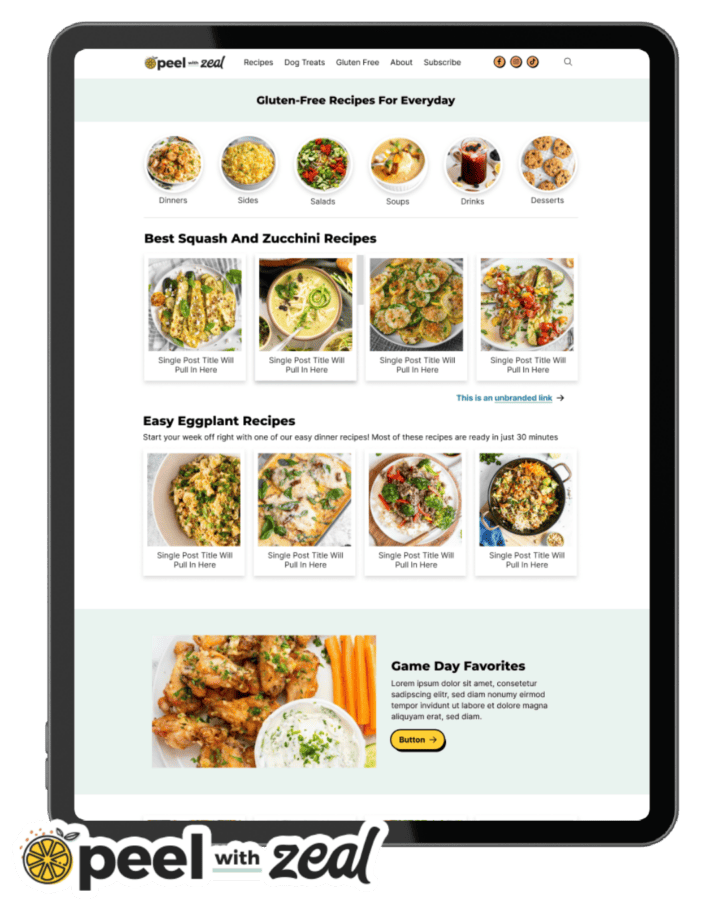
  • Layout setup of the Modern Homepage
  • Layout setup of the Modern Recipe Index
  • Setup of the Modern Sidebar
  • Adding group tip blocks and list blocks to 1 post
Plugin Configuration, if needed:
  • Installing the Foodie Pro theme and Feast Plugin
  • Implementing or re-configuring the Modern Homepage
  • Implementing or re-configuring the Modern Sidebar
  • Implementing or re-configuring the Modern Footer
  • Implementing or re-configuring the Modern Menu
  • Initial setup of trending and seasonal posts (on the homepage, and sidebar)
  • Implementing the Modern Thumbnails
  • Regenerating thumbnails
  • Creating "Subscribe" landing page
  • Removal of outdated widgets (eg. "featured posts widget", category drop-downs)
  • Removal of secondary navigation menu
  • Yoast settings audit and configuration
  • Proper implementation of breadcrumbs
  • WP Rocket settings audit and configuration
  • Custom walkthrough video from Melissa
  • 30 days of Google Search Console monitoring (for brand new Feast customers)
Does NOT include:
  • Anything not specifically included above
  • The Feast Plugin (must be purchased separately)
  • The Feast+ (must be purchased separately)
  • Shortpixel or Imagify credits (required to regenerate thumbnails)
  • The WP Rocket plugin must be purchased by you separately
  • Logo, image or graphic design
  • Conversion from a non-Wordpress setup (eg. Squarespace, Wix)
  • Removal of pagebuilder code (eg. Divi, Elementor, etc) - this must be done beforehand per the migration guide
  • Support for hosting related issues (BigScoots will both migrate your site for free when signing up for their managed WordPress hosting)
  • Customizations (customizations are done after the full site conversion (see the migration guide)
  • Categorizing posts
  • Creating redirects

Make sure you see a "Thanks for filling out the questionnaire" message when clicking submit. if you don't, please check the fields above for errors.