

Full Width Banner
The Full Width Banner is a Feast Layout that allows adding a call-to-action below the menu, on all posts and pages, to promote things like an ebook, cookbook or courses.
This is site-wide and can not be manually turned off on individual pages or posts.
Note: this is different from the Top Banner available in Feast+.
To Insert
These appear just below the header (but are not sticky). They're great for adding a CTA and can also be reused in other areas of your site.
- Go to Feast Plugin > Feast Layouts > Add New Feast Layout
- Name it "Below Header CTA"
- In the dropdown on the right side, select "Full Width Banner"
- Insert your choice of block, as described below.
Design Option 1: Text Only Banner
Go to Feast Home Patterns > Skinny Call To Action. You can customize this to make it your own (i.e. delete the button to make it text-only, etc.). Hit publish when complete.

Design Option 2: Image + Text
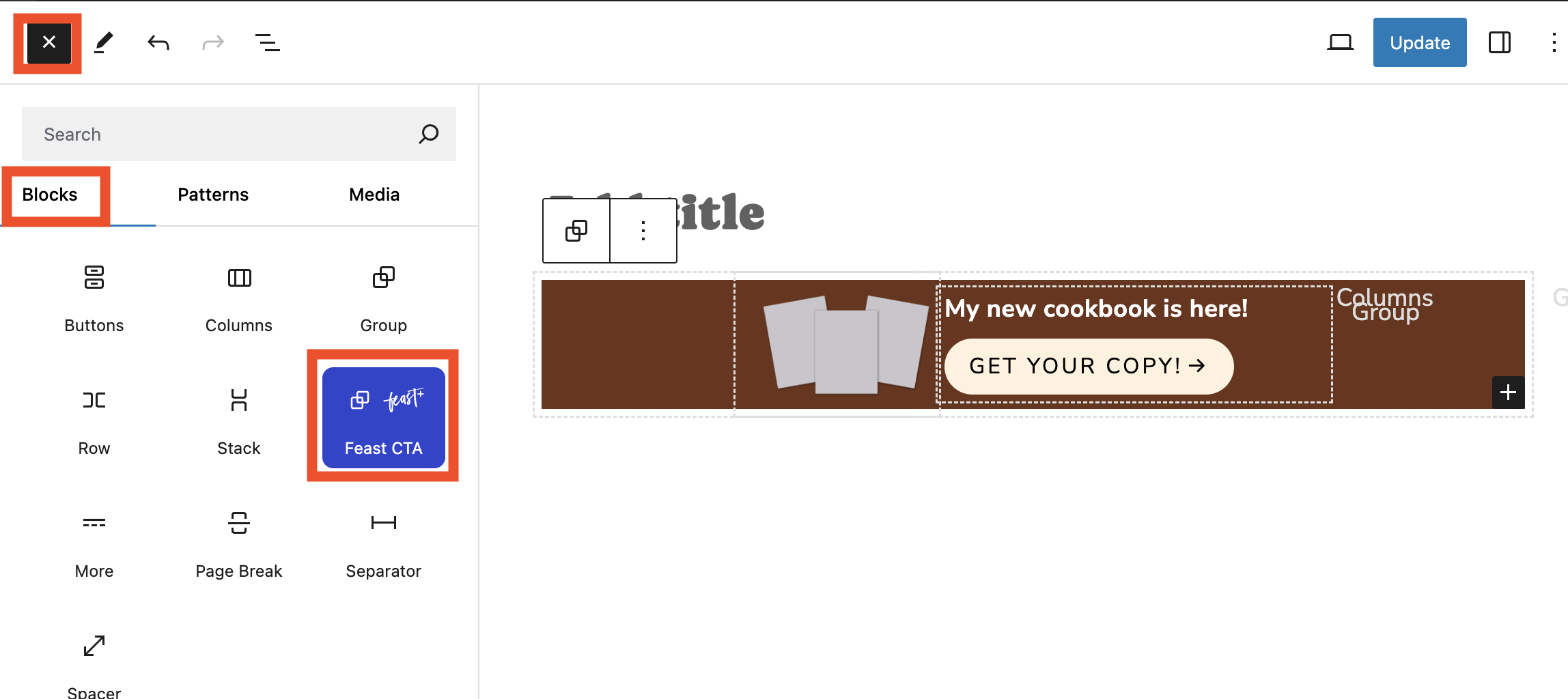
Go to [+] > Blocks > Feast CTA. Add your text & image and hit publish.

Feast+ users have access to color application & a Canva template. See members portal for more information.
Mobile only
You can add the feast-mobile-only class to elements that you only want to display on mobile, and not on desktop.
Desktop only
You can add the feast-desktop-only class to elements that you only want to display on desktop, and not on mobile.
Clear your cache
After creating the Full Width Banner Feast Layout and assigning it, make sure to clear your cache.